Ordering that keeps up
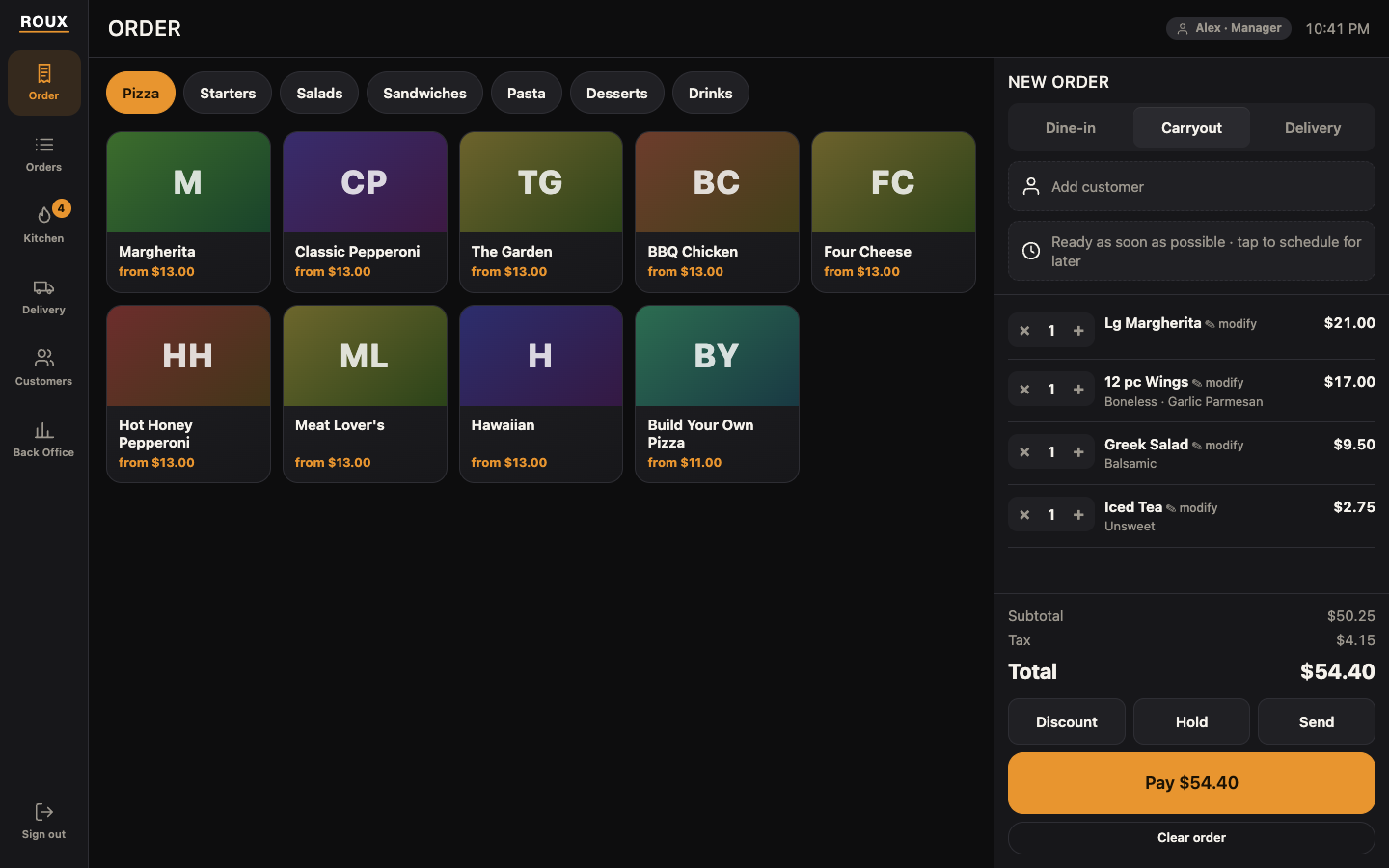
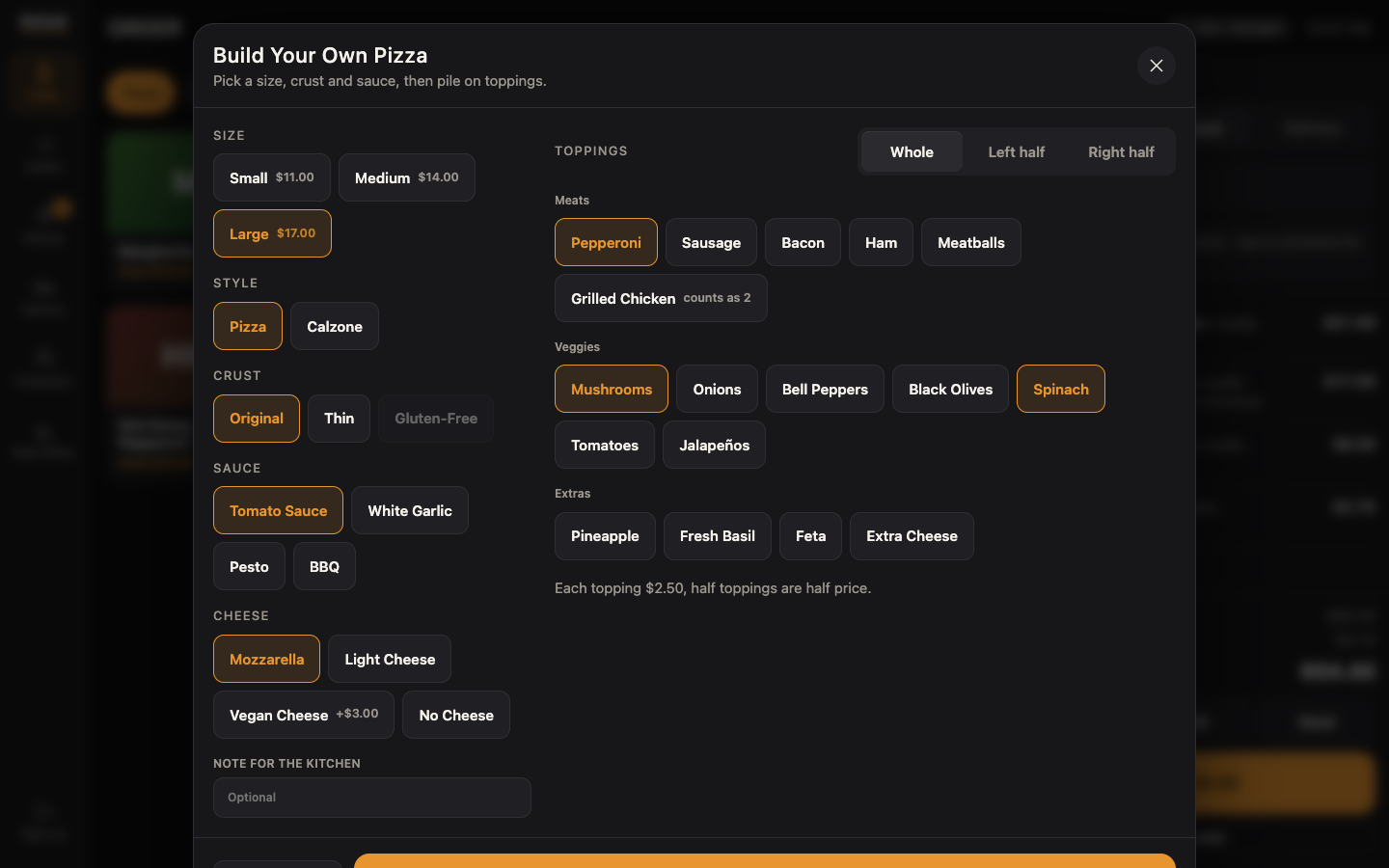
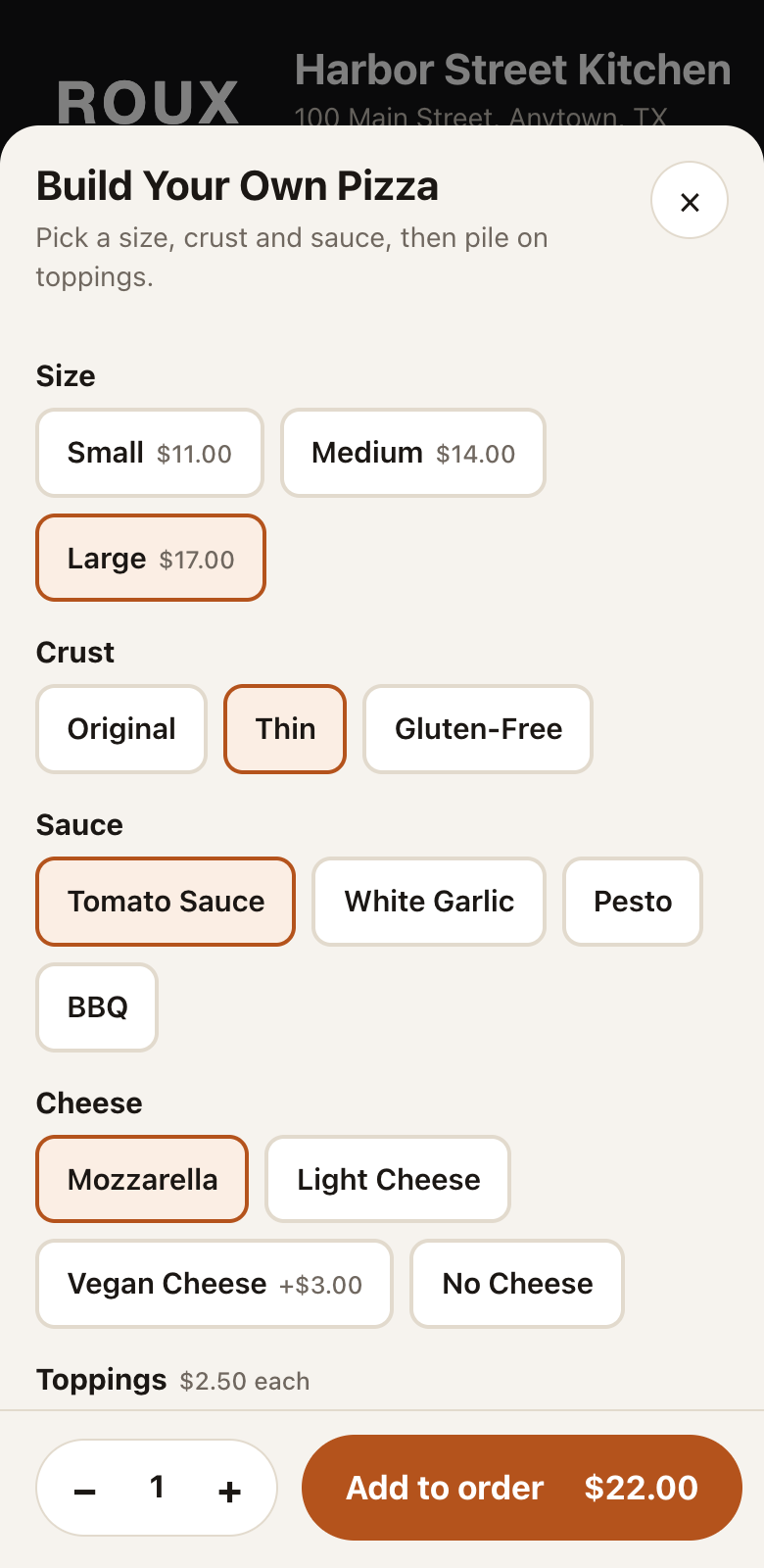
Big touch targets, photos, and a builder that handles half-and-half toppings. Every item carries its ingredients, so "no onion, extra cheese, dressing on the side" is two taps.
Restaurant point of sale
ROUX puts ordering, the kitchen, delivery and the customer's screen in one fast, modern system. It is the point of sale we wanted after years of fighting old ones.
The demo opens as your restaurant: type its name, pick a menu and take a few orders. ROUX is new, and we are opening it to a small group of restaurants first.
See it
These are taken from the live demo, running a made-up restaurant with made-up sales. Open the demo and you can tap through every one of them.
What it does
ROUX was designed around the moments that slow a restaurant down: the complicated order, the lost ticket, the driver who never showed.
Big touch targets, photos, and a builder that handles half-and-half toppings. Every item carries its ingredients, so "no onion, extra cheese, dressing on the side" is two taps.
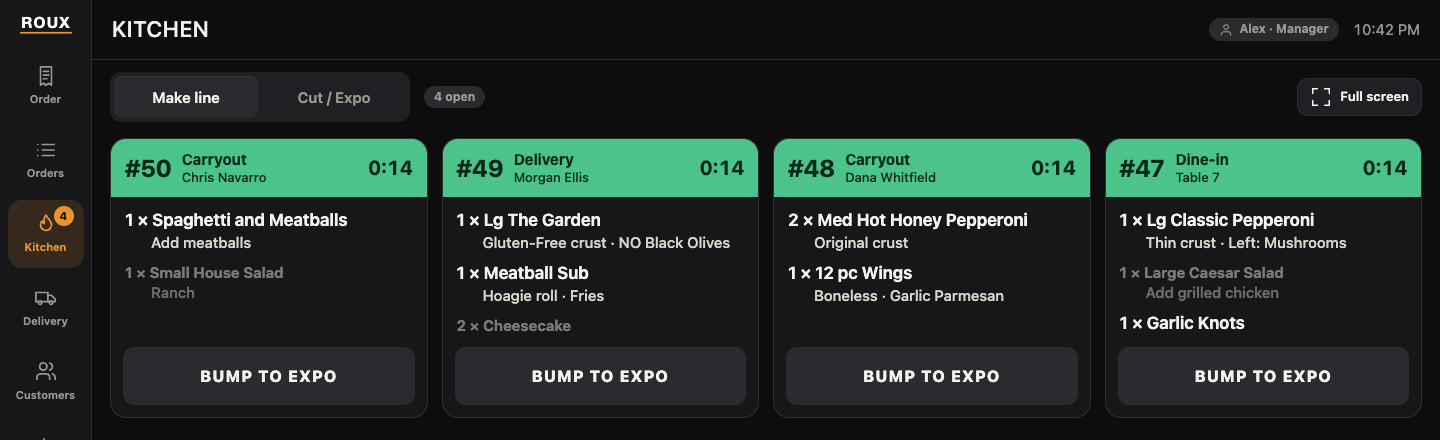
Orders reach the make line the moment they are sent. Tickets turn amber, then red, as they age, and one tap bumps them to expo.
Use your own drivers, or have ROUX request one from a delivery service as soon as an order is paid, then follow the driver on the delivery board.
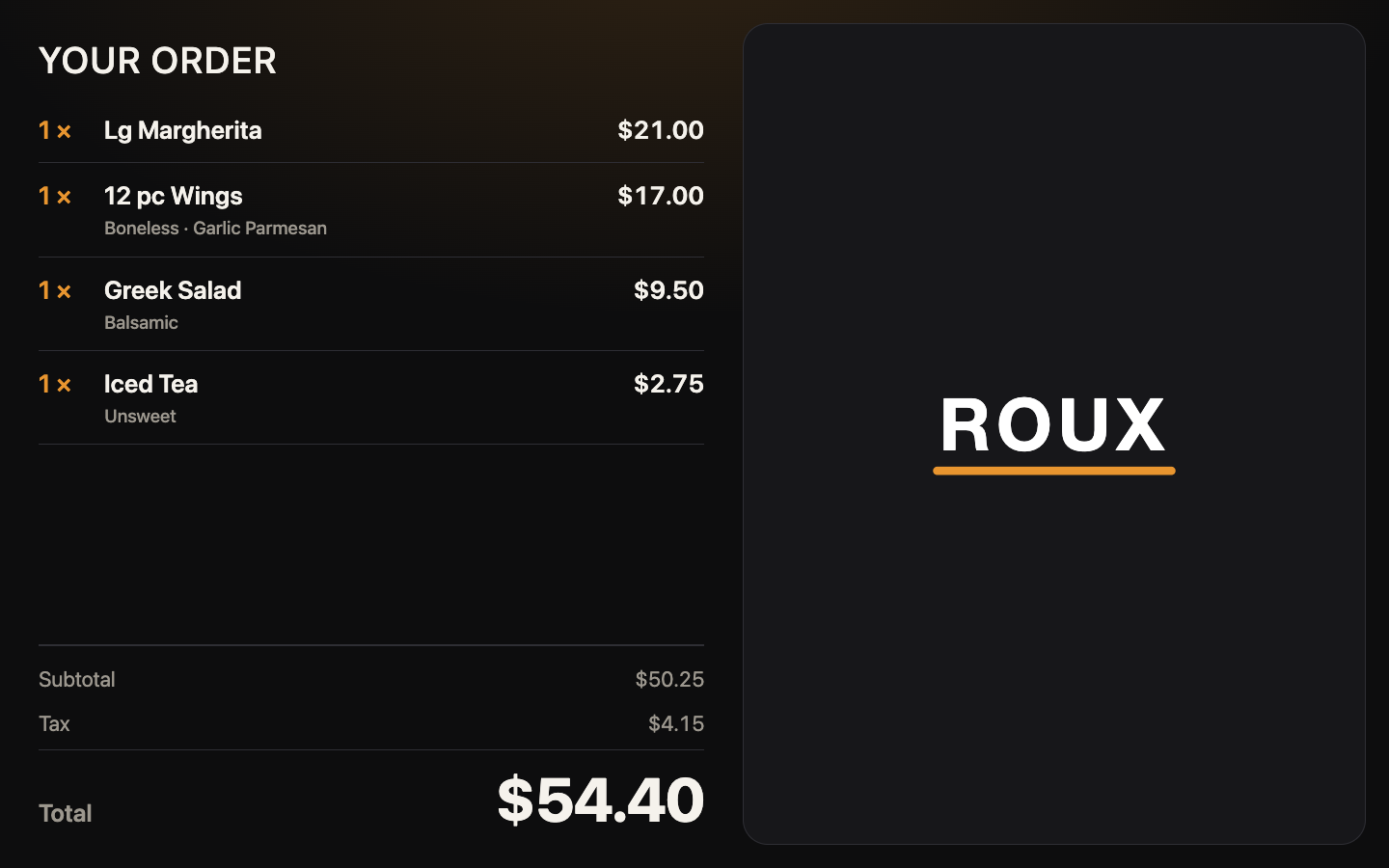
Customers watch their order build line by line, pick their own tip, and pay on a display that faces them. Between orders it shows your own pictures or videos, on a schedule you set.
Set permissions by position, then adjust them per person. A manager can approve a void or discount with a PIN, and every approval is logged.
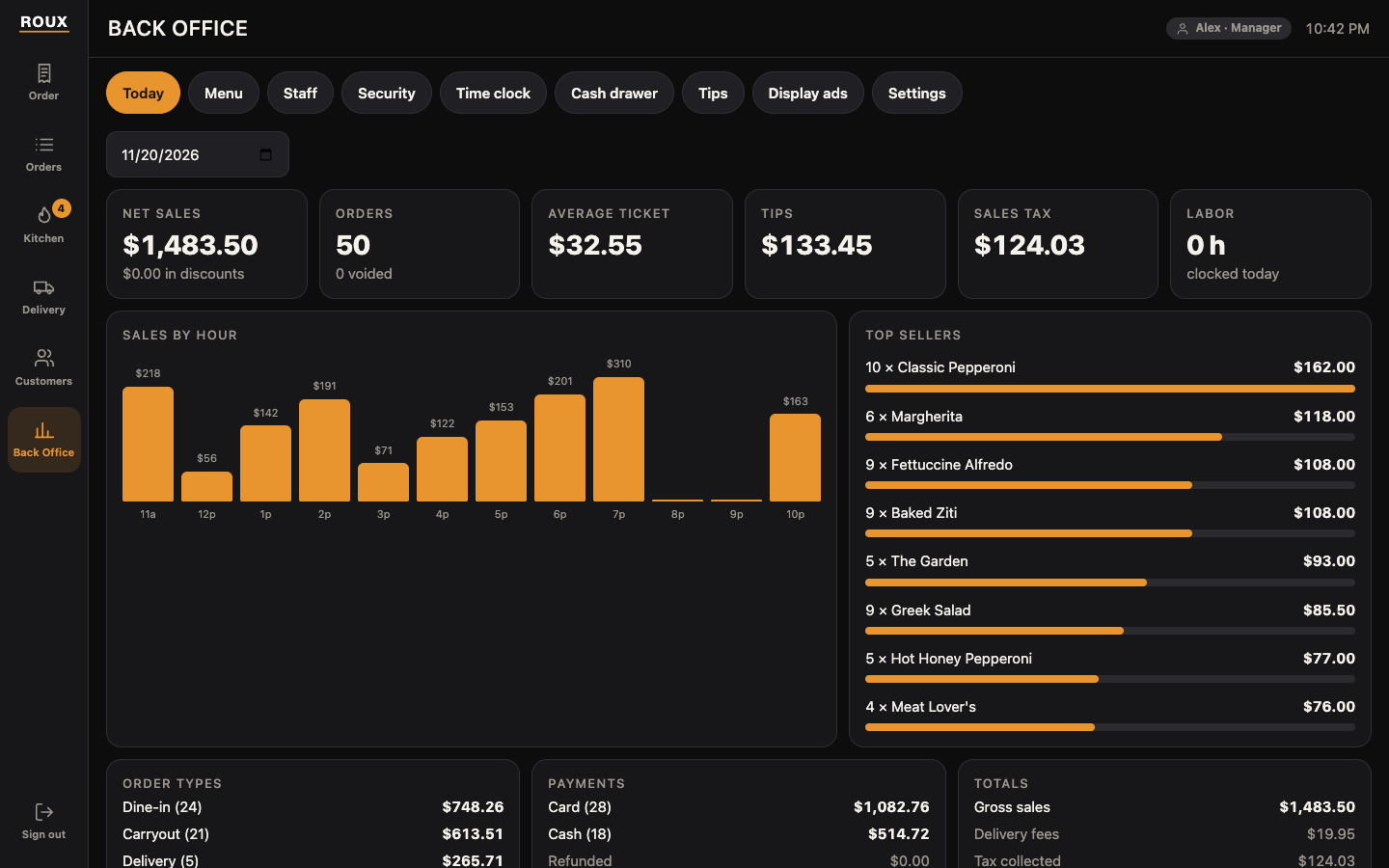
Change items, prices, photos and choices yourself, with no call to a help line. See sales by hour, top sellers, tips and the cash drawer at a glance.
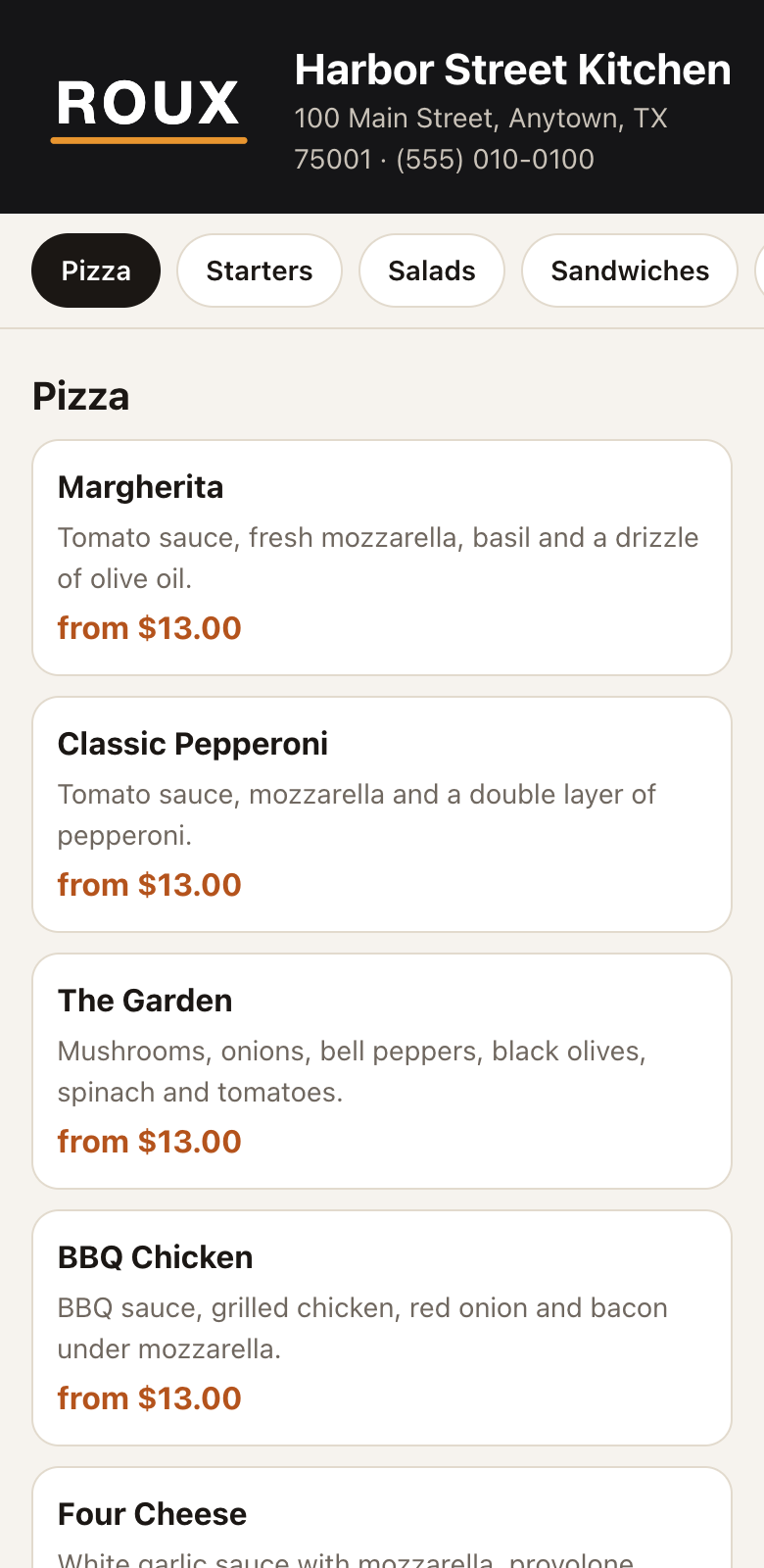
Your own ordering page uses the same menu as the registers. Change a price or mark something sold out and the page changes with it. Orders land on the register for your staff to accept.
Take an order today for Saturday and it reaches the kitchen by itself when it is time. Give a catering customer an account, charge orders to it, and keep track of what has been paid.
Each register has its own cash drawer. Count it by bills and coins, see at once whether it is over or short, and know how much to take out for the deposit. Tips are reviewed and confirmed before anyone is paid.
How it works
ROUX runs online. Your store has its own private system, and every screen in the building simply connects to it.
Your restaurant gets its own ROUX system and its own data, kept separate from every other restaurant.
Each register, kitchen screen and customer display joins with a short code from a manager. A screen without one sees nothing.
When ROUX improves, every screen has the new version the next time it loads. No technician, no downtime visit.
Hardware
ROUX takes over the whole screen and behaves like an appliance, not an app someone can wander out of.
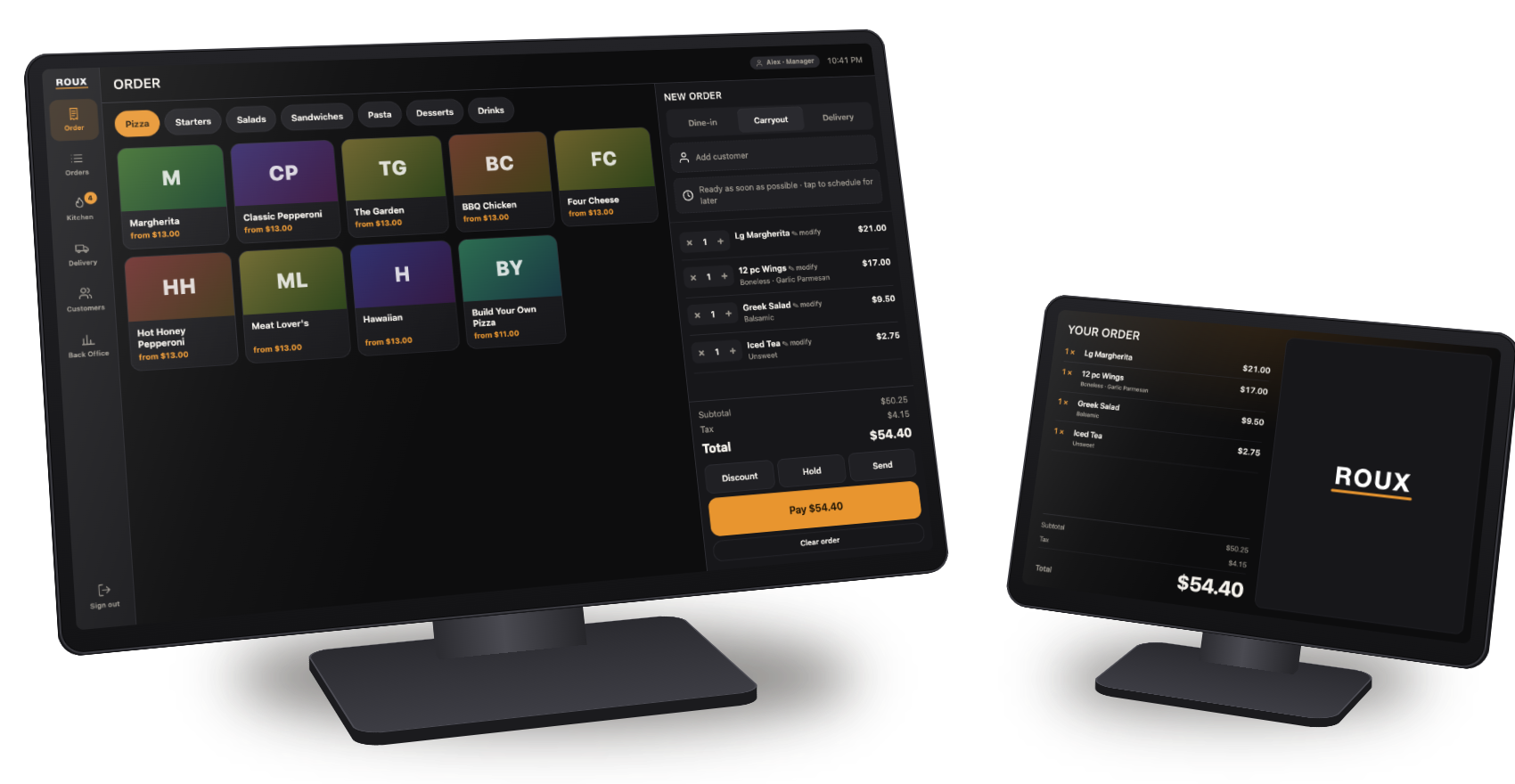
Illustration with real ROUX screens.
We are choosing the terminal and card reader ROUX will ship with. Tell us what you run today and we will let you know how it fits.
Where we are
ROUX is in active development. Here is exactly where things stand today.
Ordering, kitchen screens, the delivery board, the customer display, online ordering, customer accounts, cash drawers, permissions, menu editing and reports are built and working in testing.
Card payments and driver requests are built and being tested before any restaurant relies on them.
We are preparing the first installations and bringing on a small group of early restaurants.
Early access
Tell us about your restaurant and what you use now. We are a small team, so you will hear back from a person.
ben@bpaulservices.com